Step-by-Step Visual Tutorial
Master the FundedSignals platform from basic search to deep market intelligence.
The Directory Overview
When you first enter FundedSignals, you're presented with the master directory. The sidebar on the left is your control center for all data discovery.
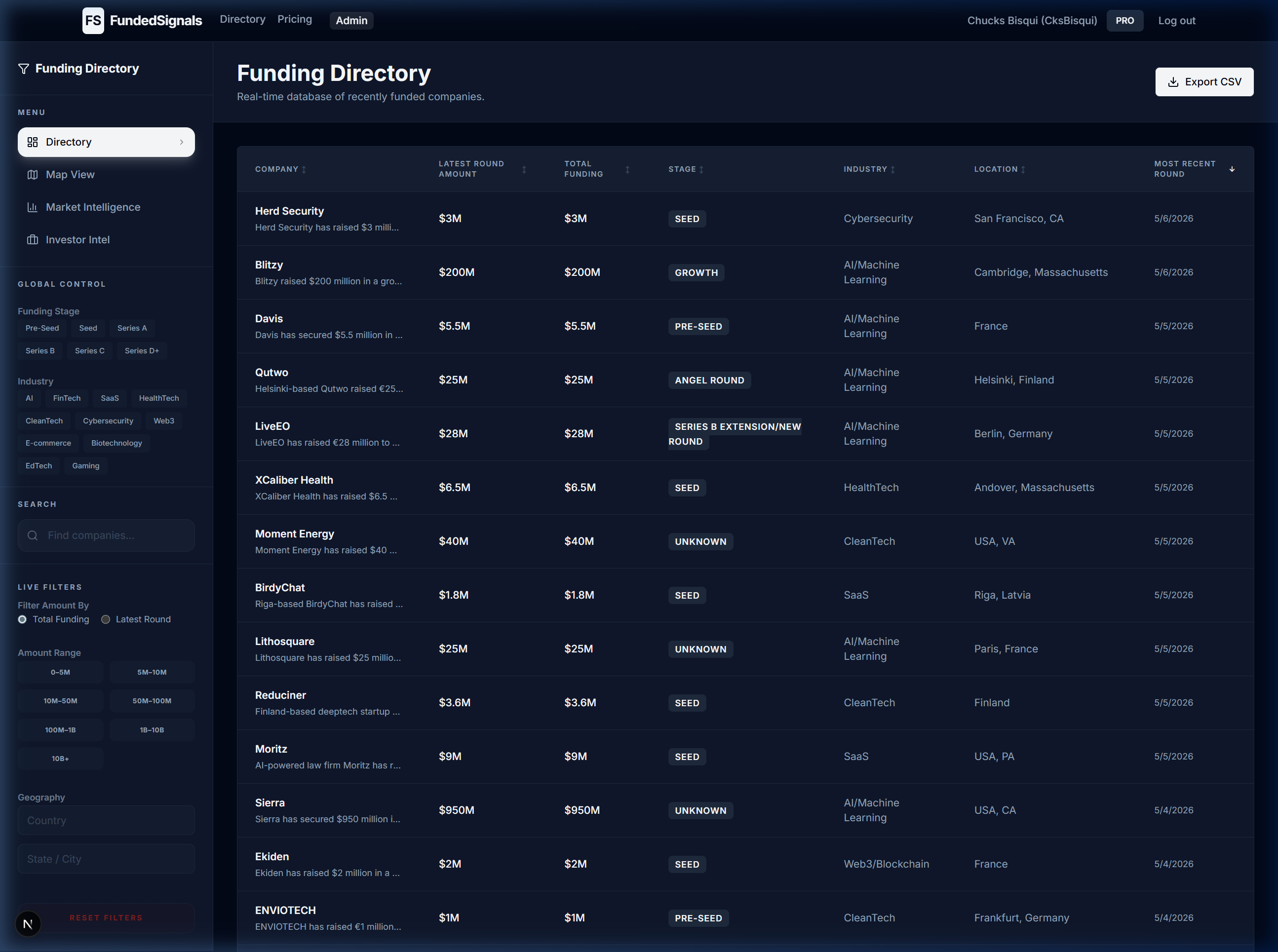
This view shows the most recent funding rounds globally, sorted by date by default.
All filter states are reflected in the URL instantly, enabling one-click sharing and bookmarking with your team.
Deep Dives via Expanding Rows
You don't need to leave the directory to get more details. Clicking any company row instantly expands a detailed profile with additional context about the funding round.
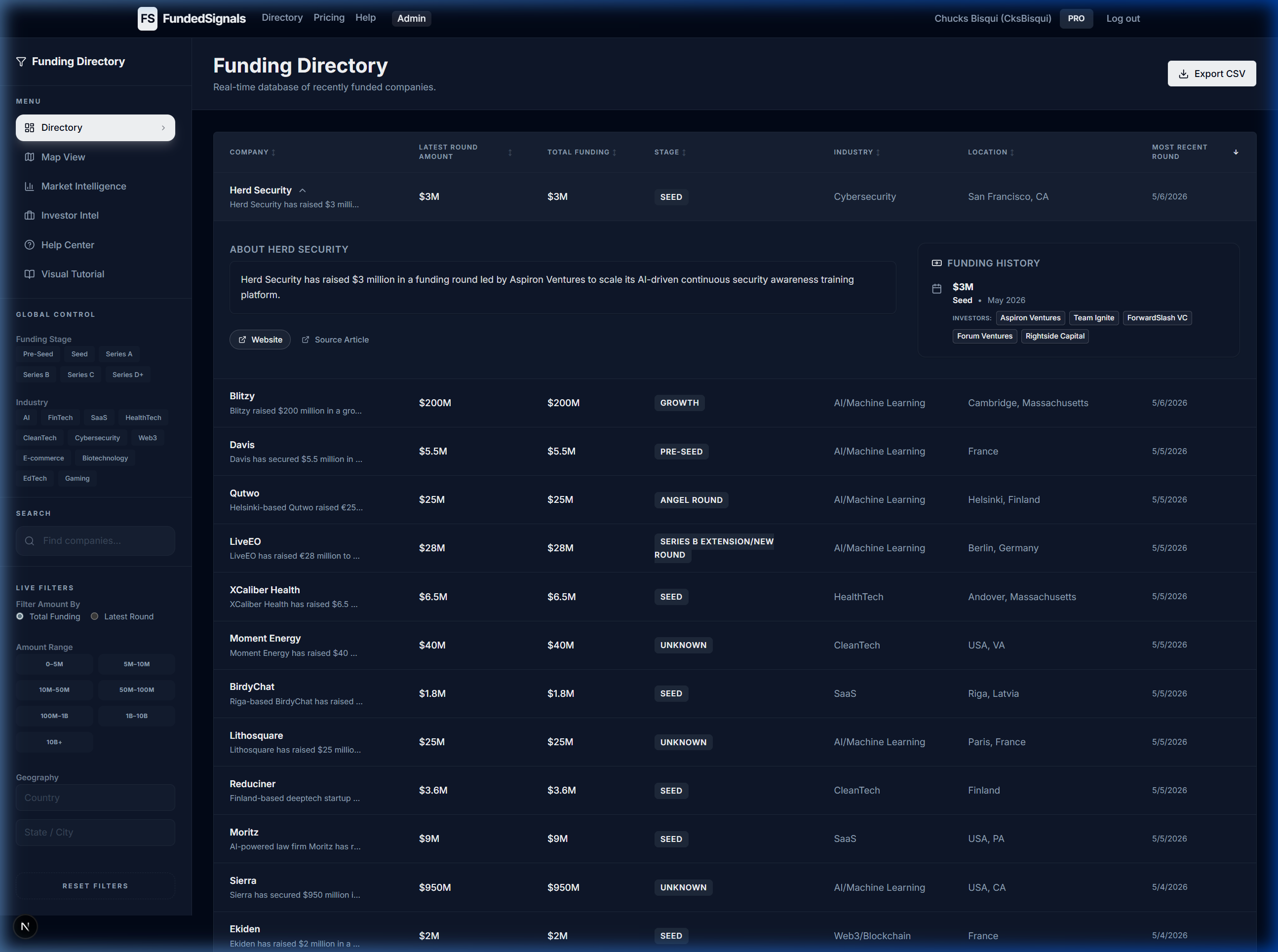
Expanding a row shows info about the company, history of funding rounds, and investors that participated.
All filter states are reflected in the URL instantly, enabling one-click sharing and bookmarking with your team.
Instant Global Search & Filtering
The search bar and live filters allow you to drill down into specific niches instantly.
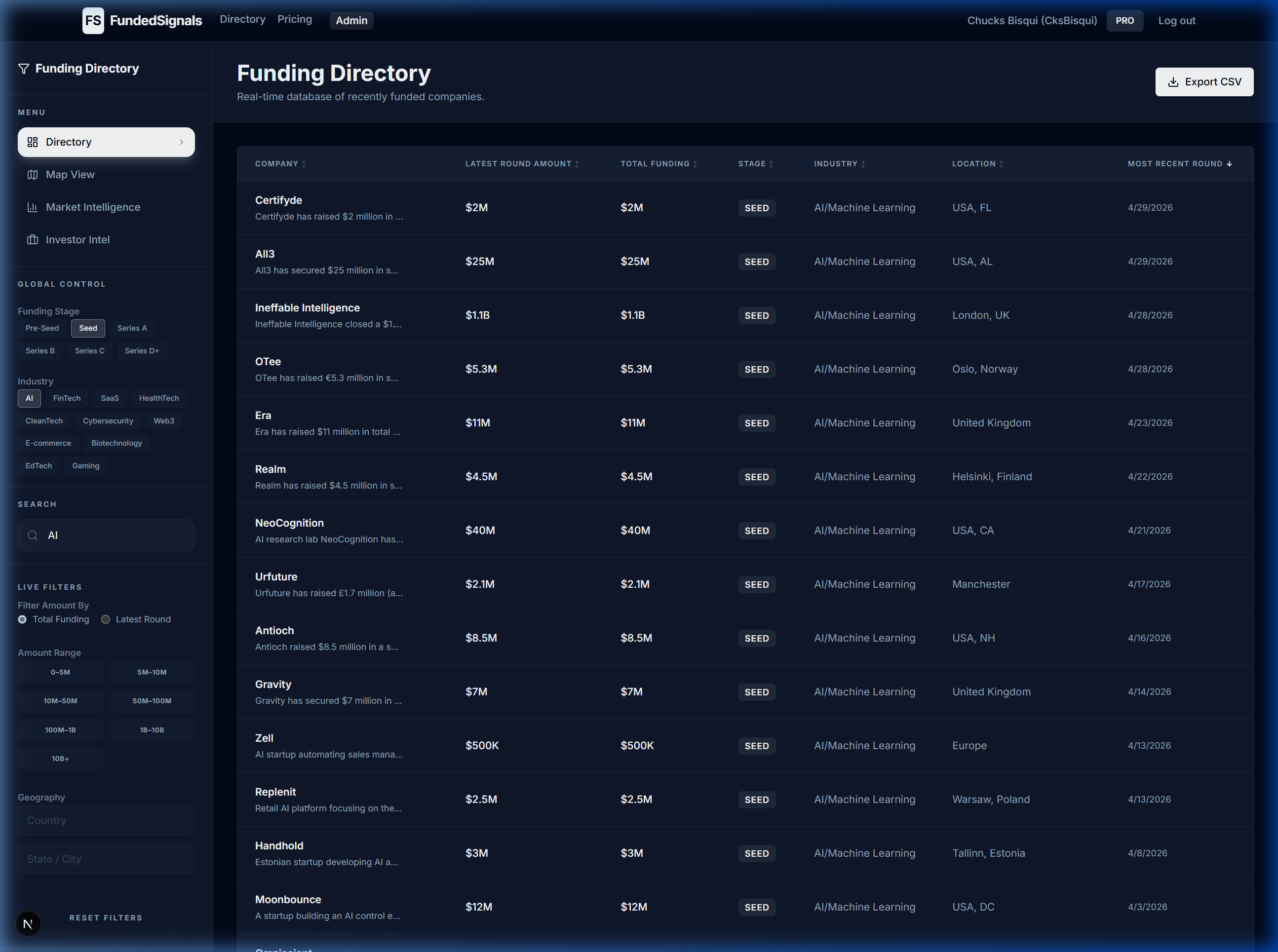
Selecting 'Seed' and 'AI' together will show you only early-stage artificial intelligence companies. You can also use the Amount Range to exclude rounds that don't fit your criteria.
All filter states are reflected in the URL instantly, enabling one-click sharing and bookmarking with your team.
Market Intelligence
Switch to the Market Intelligence page to view macro trends. Interact with the charts to see precise data points and deal velocity across different sectors.
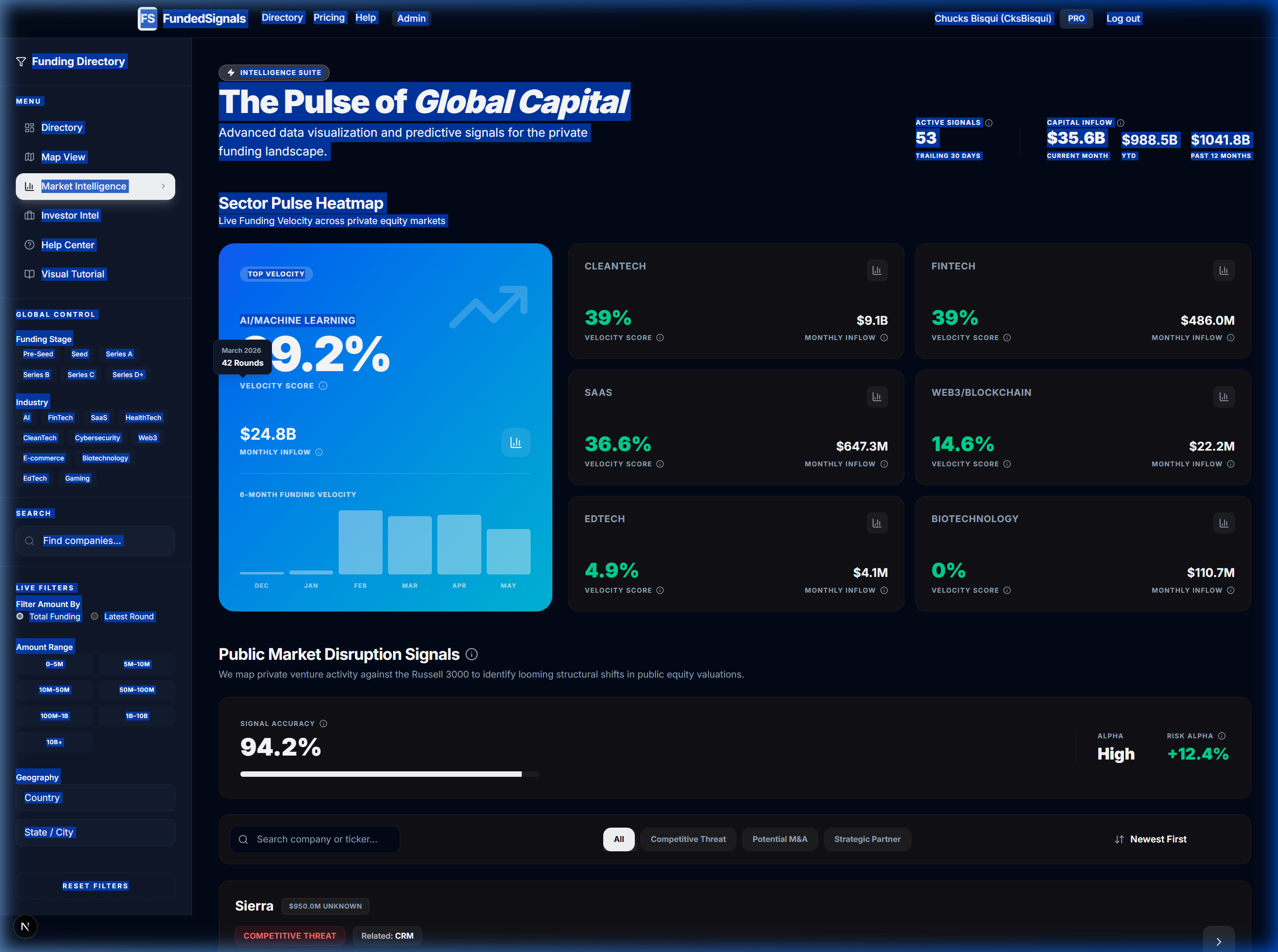
Interactive charts show you deal velocity and sector heatmaps. Hovering over or clicking a data point reveals precise counts and historical comparisons.
All filter states are reflected in the URL instantly, enabling one-click sharing and bookmarking with your team.
Market Intelligence Dashboard
Use the specialized filters in the Market Intelligence dashboard to map startup funding against vulnerable public companies.
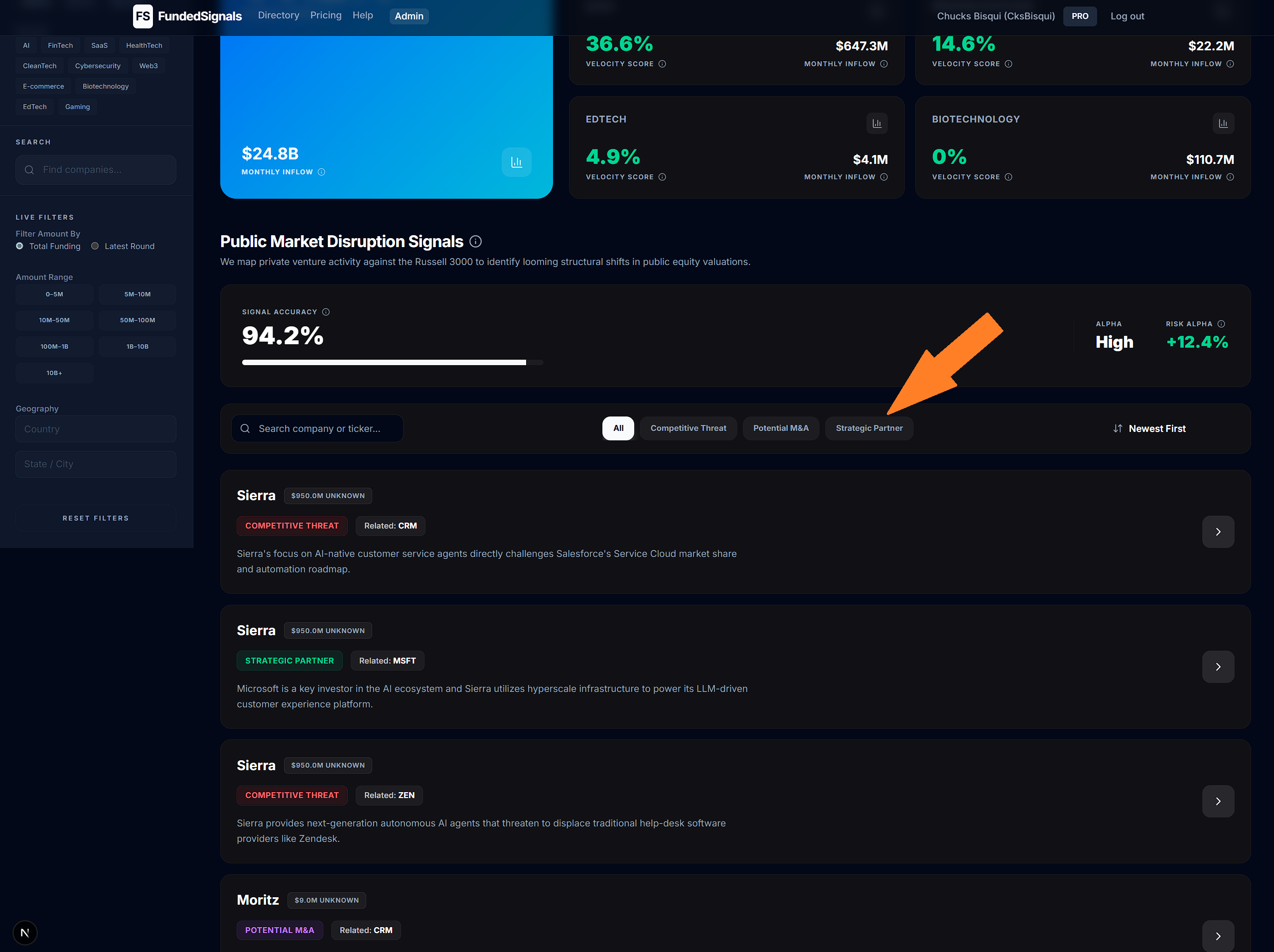
By filtering the Disruption engine, you can identify which legacy corporations are facing the most pressure from newly funded, agile competitors.
All filter states are reflected in the URL instantly, enabling one-click sharing and bookmarking with your team.
Investor Intel by Status
The Investors page lets you track who is actually writing checks. Use the status filters to focus your outreach effectively.
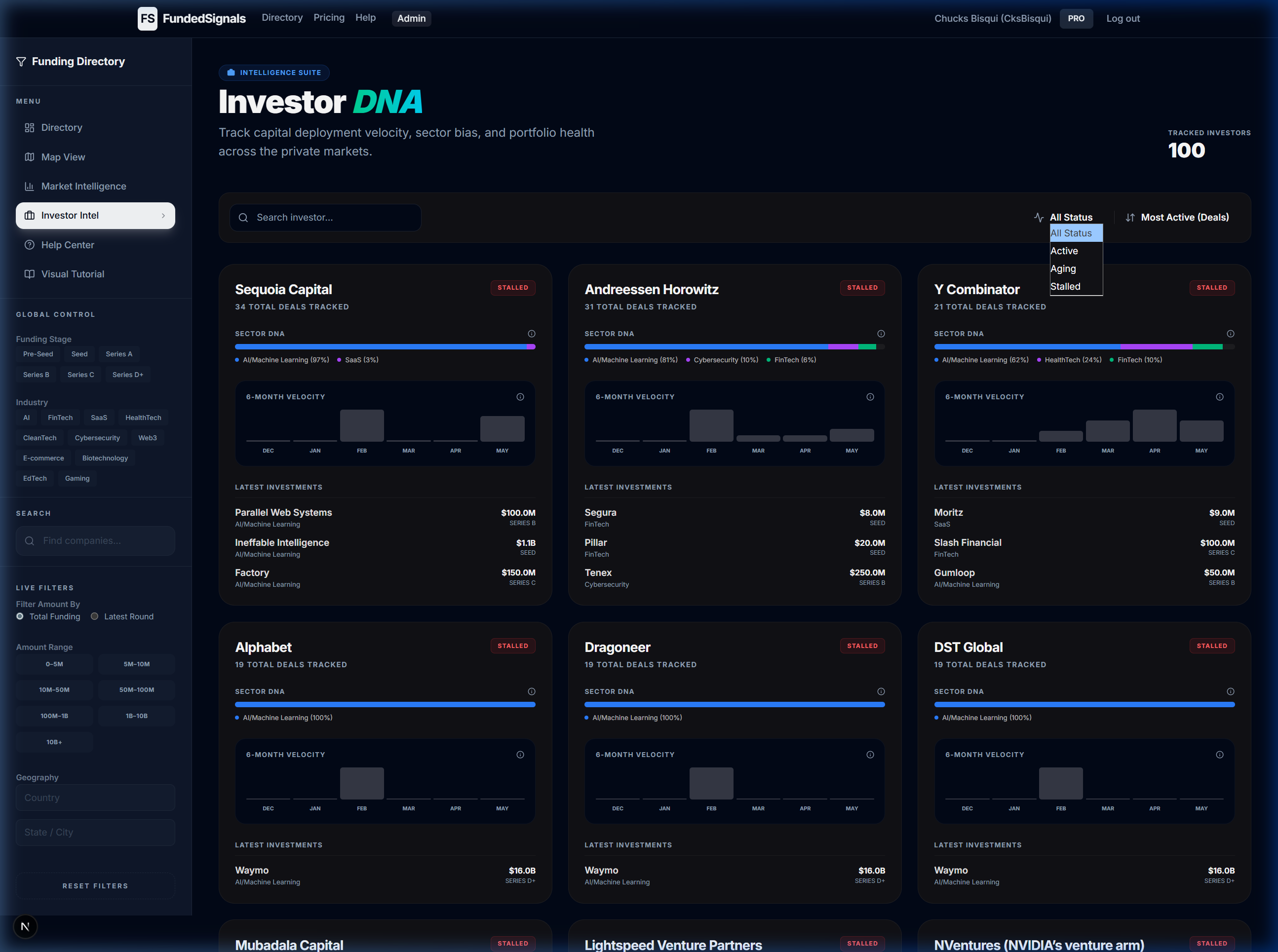
Filtering by 'Actively Deploying' ensures you focus your outreach on funds that are currently looking for deals, rather than those between fund cycles.
All filter states are reflected in the URL instantly, enabling one-click sharing and bookmarking with your team.
Contextual Info Icons
Throughout the platform, you'll see small 'i' icons next to technical terms or specific metrics. Clicking these icons will bring up a detailed explanation of the item.
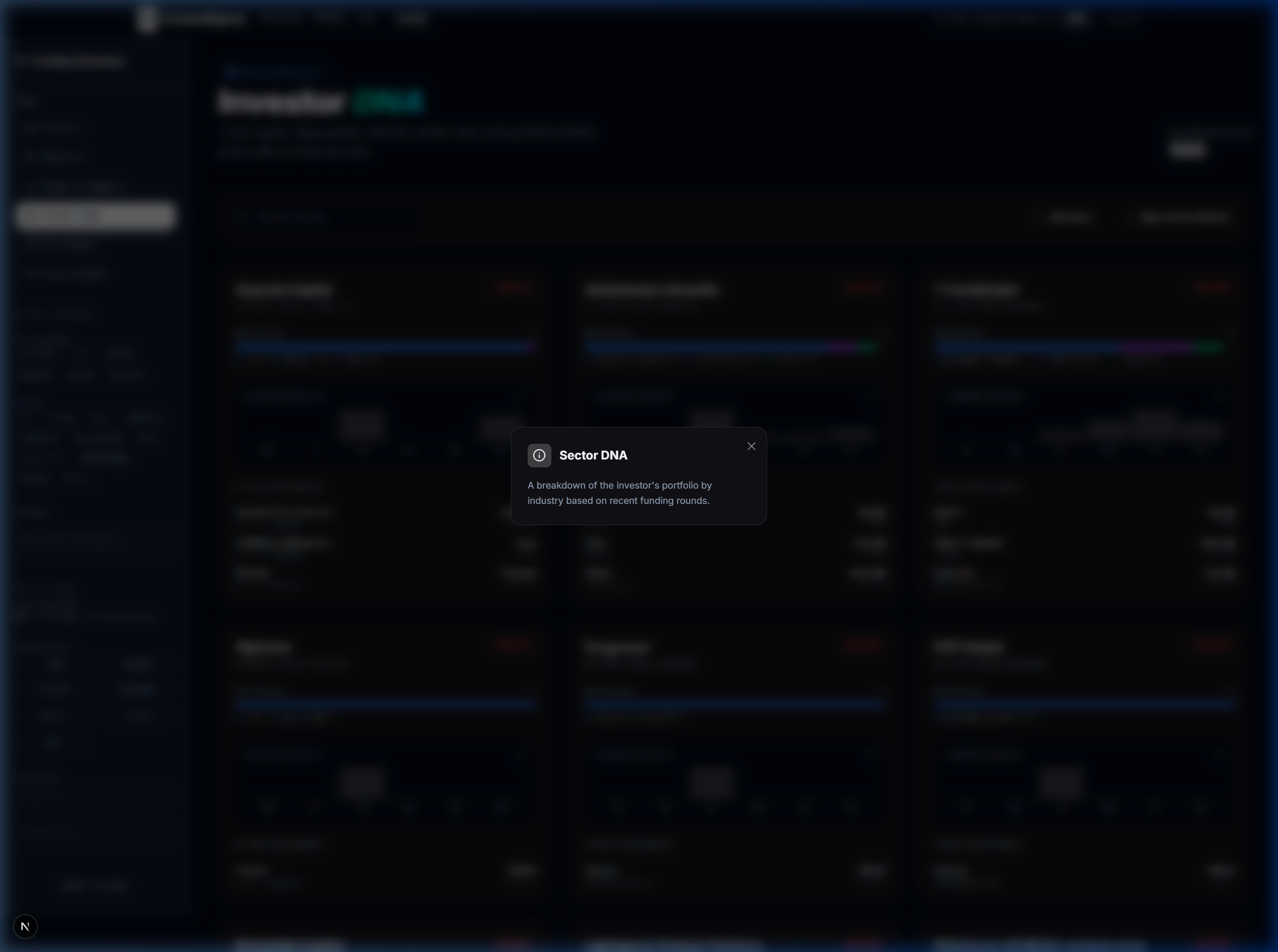
These tooltips ensure you always have the context needed to understand complex financial signals without needing to search for definitions elsewhere.
If you're ever unsure about a specific data point, look for the info icon for an instant breakdown of how that metric is calculated.